Common wallet setup mistakes
Setup friction often involves device initialization, app pairing, recovery phrase confirmation, passphrase choices, and account selection.
Ledger is one of the most recognized hardware wallet brands for people who want to store crypto with self-custody.
Quick summary
Wallet type
Hardware wallet
Best for
Long-term holders comparing cold storage devices
Recovery phrase
Yes — required for backup and restore
Storage style
Offline device-based signing
Beginner level
Medium — expect firmware and app steps
Wallet support
Use this structured Ledger wallet support page to narrow setup steps, recovery phrase questions, connection problems, balance display issues, transaction concerns, and official help checks without implying any official affiliation.
Ledger wallet help should start with the exact issue, the Ledger support portal, and the safest next step for a hardware wallet.
Official Ledger accessReport wallet issue
Describe your Ledger setup, recovery, connection, balance, firmware, or wallet access problem.
OpenLedger support hub
Review setup help, recovery help, troubleshooting checks, and safety notes before taking wallet actions.
OpenLedger overview
Use the brand root for informational context and navigation before opening support-specific routes.
OpenRecovery phrase safety
Check phrase handling habits before restoring or moving funds.
OpenOfficial Ledger access
Use the verified wallet destination for downloads, firmware, purchases, and brand-owned help after reviewing safety context.
OpenContinue with the most likely Ledger follow-up checks before resetting, restoring, reinstalling, or changing wallet settings.
Report wallet issue
Submit a non-secret wallet problem for moderated review and safer routing. PhraseWallet is independent and this is not official wallet support or emergency recovery assistance.
Never enter your recovery phrase, private key, password, PIN, or payment details.
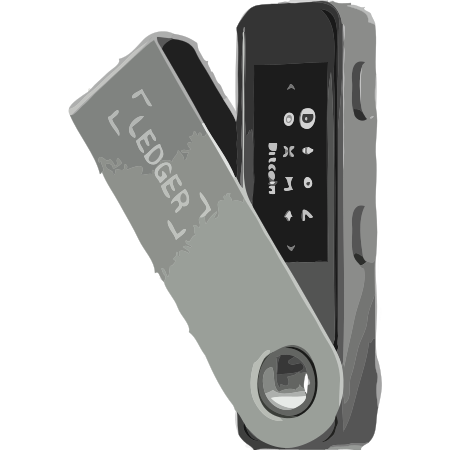
A Ledger wallet is a hardware wallet: a physical device used as part of a self-custody setup. Instead of relying only on a phone or browser wallet, a hardware wallet is designed to keep wallet keys on a separate device while transactions are reviewed and approved through a controlled flow.
For many crypto users, Ledger sits in the hardware wallet category alongside options like Trezor, SafePal, and Keystone. Use a Ledger vs Trezor comparison to compare device screens, connectivity, and app workflows before choosing.
Self-custody means you are responsible for controlling the wallet. With a hardware wallet, private keys are associated with the wallet setup and the recovery phrase becomes the backup that can restore access if the device is replaced or reset.
Ledger's role in self-custody is to provide an offline device-based workflow. Review recovery phrase basics before moving meaningful funds.
Ledger may be worth considering if its hardware wallet workflow matches how you plan to store, send, and review crypto transactions. Compare it against your budget, supported networks, device habits, and comfort protecting a recovery phrase.
If you are new to self-custody, start with a smaller amount, read the recovery phrase basics, and understand lost phrase risk before relying on any one wallet for meaningful funds.
Ledger can be part of a safer self-custody setup when it is used from the official portal, kept updated through verified channels, and paired with careful recovery phrase storage. The wallet choice matters, but user habits matter just as much.
Never share your recovery phrase, never enter it into support chats or wallet validation pages, and watch for phishing links, fake apps, cloned download pages, and impersonators.
Use the official Ledger website when buying, downloading, installing, updating, or looking for help. For hardware wallets, avoid secondhand or suspiciously discounted devices. For software wallets, avoid unofficial app stores, browser extensions, APK files, and sponsored lookalike pages.
During setup, write the recovery phrase offline, verify the words carefully, and store the backup somewhere private before funding the wallet.
Issue intelligence
These are practical troubleshooting patterns to check before restoring, updating, importing, or contacting support.
Setup friction often involves device initialization, app pairing, recovery phrase confirmation, passphrase choices, and account selection.
Use official firmware paths and verify backup safety before updating. Do not type seed words into any update page.
Wrong networks, hidden tokens, unsupported assets, address mismatch, bridge delays, and pending confirmations can make balances look wrong.
No legitimate wallet support should ask for recovery phrases, private keys, PINs, remote access, or wallet screenshots containing secrets.
Ledger may suit long-term crypto holders, security-focused users, and people who want a dedicated hardware wallet for self-custody instead of keeping everything in a phone, browser wallet, or exchange account.
Ledger may not be the best fit for casual users who only hold small amounts, beginners who are not ready to protect a recovery phrase, or anyone worried about losing your recovery phrase. If you cannot safely store the recovery phrase offline, wait before moving meaningful funds.
Ledger hardware wallets are designed to keep private keys offline while transactions are reviewed through a device-based flow. That can reduce exposure compared with signing only from a phone or browser, but it does not remove every user-side risk.
The biggest risks are usually phishing, fake Ledger websites, malicious links, and recovery phrase theft. Never share your recovery phrase with anyone, never type it into a website, and only use verified official Ledger channels when buying, downloading, or getting support.
Product line
Choose a model page for setup checks, firmware update help, recovery phrase guidance, and wallet access troubleshooting.
Ledger
Ledger Nano S Plus
Setup, recovery, firmware, and balance help.
Open setup checks, firmware update support, recovery guidance, and balance visibility help.
Device helpLedger
Ledger Nano X
Setup, recovery, firmware, and balance help.
Open setup checks, firmware update support, recovery guidance, and balance visibility help.
Device helpLedger
Ledger Stax
Setup, recovery, firmware, and balance help.
Open setup checks, firmware update support, recovery guidance, and balance visibility help.
Device helpLedger
Ledger Flex
Setup, recovery, firmware, and balance help.
Open setup checks, firmware update support, recovery guidance, and balance visibility help.
Device helpComparison checklist
Compare size, screen style, connection flow, and how comfortable you are approving transactions on a separate device.
Check whether the wallet setup supports the coins, tokens, and networks you plan to hold before choosing.
Review how the companion app handles balances, transaction review, firmware prompts, and everyday wallet management.
Compare the device cost with your storage needs, expected holding period, and whether extra features matter to you.
Understand the backup materials, storage plan, and restoration process before moving funds to any wallet.
Know when the phrase is created, how many words are used, and how you will keep the backup offline and readable.
Compare related help pages before you download or buy.
Read these before setting up or restoring any self-custody wallet.
Use the official Ledger website for buying, downloads, updates, and brand-owned help. Verify the domain before taking wallet actions, and compare category help pages if you are still choosing.
Community reports
Curated Ledger reports below reflect common device, Ledger Live, balance display, update, and recovery phrase safety issues users describe while troubleshooting hardware wallets.
These examples are informational and reflect common user-reported wallet issues. Never share your recovery phrase, seed phrase, private keys, PIN, or wallet backup with anyone. Official wallet support should never ask for your recovery phrase.
“Ledger Live shows zero balance even though I know funds should be there.”
A zero balance can happen when the wrong account, network, derivation path, wallet address, or sync status is being checked. Users should never share their recovery phrase while troubleshooting.
“I entered my recovery phrase on a website because it said Ledger support needed it.”
No legitimate wallet support team should ask for a recovery phrase. Entering it online can compromise the wallet immediately.
“Ledger Live does not detect my device even though it is plugged in.”
Connection problems may involve USB cables, browser or device permissions, outdated Ledger Live versions, drivers, firmware status, or using a charge-only cable.
Common wallet issues
Use these maintained support paths to move from a symptom to the right setup, recovery, troubleshooting, or security help without sharing private wallet data.
Related problems
If this page is close but not exact, check these nearby support topics so the next step matches the failure pattern.
Check cable type, USB permissions, app version, drivers, and firmware status.
Open helpConfirm account, network, sync state, and wallet path without sharing private details.
Open helpEntering a recovery phrase on a website can compromise the wallet.
Open helpOfficial wallet support should never ask for your recovery phrase, seed phrase, private keys, PIN, wallet backup, screen sharing, or remote access. Verify downloads, QR tools, and update prompts on the official wallet site before acting.
Continue with comparisons and beginner support.
Ledger Wallet Support
OpenLedger Not Connecting
OpenLedger Live Not Syncing
OpenLedger Zero Balance Help
OpenLedger Firmware Update Help
OpenLedger Recovery Phrase Warning
OpenLedger vs Trezor
OpenTrezor Wallet Support
OpenSafePal Wallet Support
OpenKeystone Wallet Support
OpenWhat is a recovery phrase
Open12 word vs 24 word recovery phrase
OpenBest Wallet for Beginners
OpenHardware Wallets
OpenCompare models, recovery phrase expectations, and hardware alternatives before you buy. If you decide to use a Ledger wallet, it is important to only purchase from the official portal to avoid tampered devices or scams.